Support our educational content for free when you purchase through links on our site. Learn more
🚗 Tesla Model 3 Autopilot: 6 Features You Need to Know (2026)

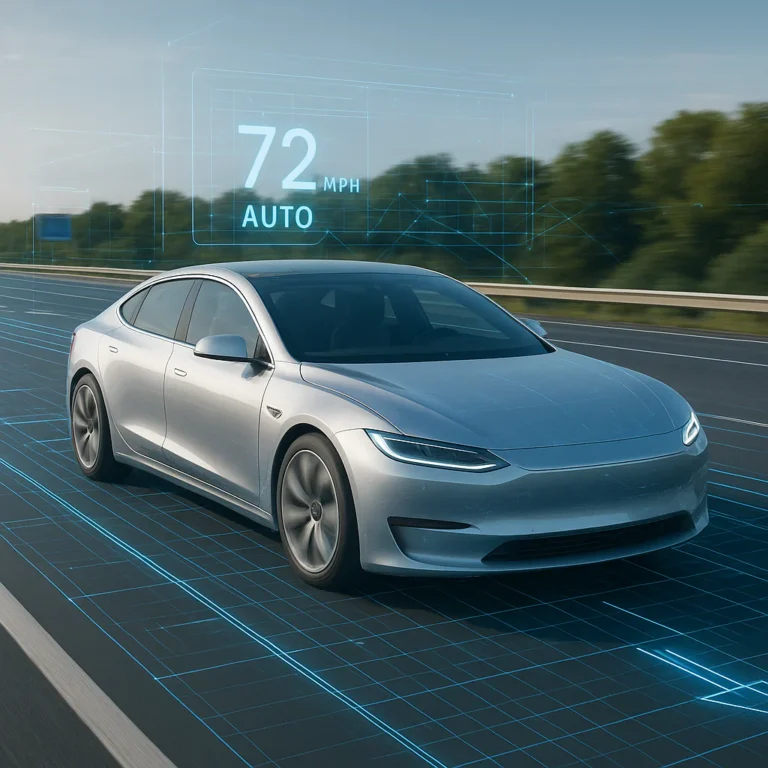
The Tesla Model 3’s Autopilot system isn’t a magic self-driving button; it’s a sophisticated Level 2 driver-assist suite that excels at highway cruising but demands your constant attention. When you ask what are the features of the Tesla Model 3’s Autopilot system, the answer ranges from standard Traffic-Aware Cruise Control to advanced FSD capabilities like Navigate on Autopilot and city street navigation.
We once watched a friend try to “nap” in the driver’s seat during a traffic jam, only to be jolted awake by a blaring alarm and a stern warning on the screen. That’s the reality: the car is a co-pilot, not a chauffeur.
Despite the hype, the system has logged billions of miles, proving that camera-based vision can rival—and sometimes surpass—traditional radar setups in specific scenarios.
Key Takeaways
- Standard vs. Premium: Every Model 3 comes with Traffic-Aware Cruise Control and Autosteer, while features like Navigate on Autopilot and Auto Lane Change require an upgrade.
- Human in the Loop: The system is not fully autonomous; drivers must keep hands on the wheel and remain ready to take over instantly.
- Vision-Based Tech: Tesla relies on a camera-only “Tesla Vision” system, eliminating radar in newer models to process data through neural networks.
- Continuous Improvement: Over-the-air (OTA) updates constantly refine performance, meaning your car’s capabilities can evolve after purchase.
👉 Shop Tesla Model 3 on:
- Tesla Official Website: Tesla Model 3
- Edmunds: Tesla Model 3 Reviews & Pricing
- Car and Driver: Tesla Model 3 Test Drive
Table of Contents
- ⚡️ Quick Tips and Facts
- 📜 From “Beta” to Standard: A Brief History of Tesla Autopilot
- 🧠 Core Capabilities: What Does Tesla Autopilot Actually Do?
- 🚗 Essential Features Breakdown
- 🆚 Full Self-Driving (FSD) vs. Standard Autopilot: What’s the Difference?
- 👁️ How the Hardware Works: Cameras, Sensors, and Neural Nets
- ⚠️ Safety First: Limitations, Misconceptions, and Driver Responsibility
- 🛠️ Real-World Performance: Commutes, Highways, and City Streets
- 💡 Quick Tips and Facts
- 🏁 Conclusion
- 🔗 Recommended Links
- ❓ FAQ
- 📚 Reference Links
Body
⚡️ Quick Tips and Facts
Welcome, gearheads and tech lovers, to the electrifying world of Tesla
! Before we peel back the layers of the much-discussed Autopilot system on the Tesla Model 3, let’s get you up to speed with some quick-fire facts. Think
of this as the espresso shot before the main course.
-
✅ Standard Issue: Every new Tesla comes with Autopilot as a standard feature. This base version includes Traffic-Aware Cruise Control
and Autosteer. -
🧠 It’s Not “Self-Driving”… Yet: Despite the name, Aut
opilot is a Level 2 driver-assistance system. This means you, the driver, are still in charge
and must remain attentive with your hands on the wheel. -
📸 Eyes Everywhere: The system relies on a suite
of eight external cameras, a dozen ultrasonic sensors, and a powerful onboard computer to see the world. No radar on the
newer models! -
⬆️ Upgradeable: You can upgrade to Enhanced Autopilot or Full Self-Driving (FSD) Capability for more advanced features, either at the time of purchase or later via an over-the-air software update.
-
🛣️ Highway Hero: Autopilot shines brightest on highways with clear lane markings. City driving is the
domain of the more advanced FSD package. -
🔄 Constant Evolution: Tesla frequently releases over-the-air
(OTA) software updates, meaning the Autopilot system in your car can get smarter and more capable while you sleep. How
cool is that?!
📜 From “Beta” to Standard: A Brief History of Tesla Autopilot
Remember when cruise control was the peak of driving luxury? Oh, how far we’ve come.
The story of Autopilot is a fascinating chapter in modern Car Brand Histories. It all kicked off in 2014 when Tesla announced that all new Model S
vehicles were being built with “Autopilot hardware.” The actual software, however, didn’t roll out until a year
later.
It was a bold move, launching a system with such a futuristic name. The initial version was labeled a
“public beta,” a term that raised a few eyebrows in the typically cautious auto industry. But this is Tesla we’re talking about
—disruption is their middle name.
Over the years, the system has undergone a massive evolution. Early versions relied on a
combination of cameras, radar, and ultrasonic sensors. However, in a controversial move, Tesla transitioned to a camera-only system called
“Tesla Vision,” arguing that a sophisticated neural network processing visual data could be more effective than radar. This shift is a hot
topic in the Auto Industry News and a key differentiator in Car Brand Comparisons.
From its initial highway-centric features to the ambitious city-street navigation of its Full Self-Driving sibling
, Autopilot’s journey has been one of rapid, iterative development, beamed directly into cars around the globe.
🧠 Core Capabilities: What Does Tesla Autopilot Actually Do?
So, what’s the deal with Autopilot? What
can you actually expect when you engage it on your Model 3? At its core, the standard Autopilot system
is designed to make driving safer and less stressful, particularly during long highway slogs. It’s like having a hyper
-vigilant co-pilot who never gets tired or distracted.
The system bundles two main features:
Traffic-Aware Cruise Control (TACC): This isn’t your grandpa’s cruise control. TACC matches
your car’s speed to that of the surrounding traffic. If the car ahead slows down, so do you—all the way to
a complete stop if necessary. When traffic moves, you move with it.
2. Autosteer: This
feature assists with steering, keeping your Model 3 centered in its lane. It works in conjunction with TACC to manage
both speed and steering, taking a significant load off the driver on well-marked roads.
Think of it as the
ultimate lane-keeping assist and adaptive cruise control, rolled into one seamless package. But—and this is a big ”
but”—it’s an assistance system. It requires your active supervision. The car will remind you to apply light torque
to the steering wheel to confirm you’re paying attention. Ignore these warnings, and the system will disable itself for the
remainder of your trip.
🚗 Essential Features Breakdown
Let’s pop the hood and get into the nitty-gritty of what makes Autopilot tick
. We’ll break down the features available in the standard, Enhanced, and FSD packages.
1.
🛣️ Traffic-Aware Cruise Control: The Smart Speed Adjuster
As we mentioned, this is the foundation. Using
its forward-facing cameras, your Model 3 detects the vehicles in front of you and adjusts your speed accordingly. You
set the maximum speed and the desired follow distance (from 2 to 7 car lengths), and the car handles the acceleration
and braking. It’s incredibly smooth for the most part, making stop-and-go traffic infinitely more bearable. One
of our reviewers used it on a cross-country road trip and swore it was the single best feature for reducing fatigue.
2. 🧭 Autosteer: Keeping You Centered in the Lane
Engaged with a double-tap
of the gear stalk, Autosteer uses cameras to detect lane markings and keep the car perfectly centered. It’s surprisingly
adept, even on gentle curves. This is the feature that truly feels like the future. However, it’s not
infallible. Poorly marked lanes, direct sunlight blinding the cameras, or bad weather can sometimes confuse it. This is why
your attention is non-negotiable.
3. 🔄 Auto Lane Change: The Hands-Free O
(Available with Enhanced Autopilot or FSD)
Want to change lanes? With this feature, you simply activate
your turn signal, and the car will check for a safe opening and move itself into the adjacent lane. It’s a slick
maneuver that impresses passengers every time. It requires you to have your hands on the wheel, but it handles the steering,
acceleration, and blind-spot monitoring for you.
4. 🅿️ Autopark: Parallel and Perpendicular Parking
(Available with Enhanced Autopilot or FSD)
Hate parallel parking? You’re not alone. When
driving at low speeds, your Model 3 will scan for parking spots. When it identifies one, a “P” icon appears
on the touchscreen. Tap it, and the car will expertly steer itself into the space. It handles both parallel and perpendicular spots with
unnerving precision.
5. 🎯 Summon: Your Car Comes to You (Almost)
(Available with Enhanced Autopilot or FSD)
This is pure party-trick territory, but it has its uses! With the Tesla app, you can
“summon” your car to move forward or backward out of a tight parking spot. The more advanced Smart Summon lets
the car navigate a more complex parking lot environment to come find you, though as the featured video
points out, it does so quite slowly and requires careful supervision. It’s perfect for those narrow garage spaces or when someone
parks way too close.
6. 🚦 Navigate on Autopilot: Highway On-Ramps to Off-R
amps
(Available with Enhanced Autopilot or FSD)
This is where things get really advanced
. Enter a destination in the navigation, and Navigate on Autopilot will guide your Model 3 from a highway’s on
-ramp to its off-ramp. It will suggest and execute lane changes to follow the navigation route, navigate interchanges, and even take
the correct exit. It’s the most comprehensive feature short of the full city-street driving offered by FSD.
🆚 Full Self-Driving (FSD) vs. Standard Autopilot: What’s the Difference?
This is one of the most common questions we get. Is the hefty price tag for Full
Self-Driving (or the monthly subscription) worth it? Let’s break it down. As the YouTube video we
reviewed explains, the core difference is where the systems are designed to operate. See the full video here.
| Feature | Standard Autopilot | Enhanced Autopilot (EAP) | Full Self-Driving (FSD) |
|---|---|---|---|
| : | |||
| Traffic-Aware Cruise Control | ✅ | ✅ | |
| ✅ | |||
| Autosteer | ✅ | ✅ | ✅ |
| Navigate on Autopilot | |||
| ❌ | ✅ | ✅ | |
| Auto Lane Change | ❌ | ✅ | ✅ |
| ** | |||
| Autopark** | ❌ | ✅ | ✅ |
| Summon / Smart Summon | ❌ | ✅ | |
| ✅ | |||
| Traffic Light & Stop Sign Control | ❌ | ❌ | ✅ |
| **Aut | |||
| osteer on City Streets** | ❌ | ❌ | ✅ |
The big leap with FSD is its
ability to handle urban environments. It can recognize and react to traffic lights and stop signs and can navigate complex city streets, making
turns and handling intersections based on your navigation route. It’s still in “beta” (Tesla calls it “Supervised”), and it requires immense driver focus, but it’s a tantalizing glimpse into a fully autonomous future.
👁️ How the Hardware Works: Cameras, Sensors, and Neural Nets
Ever wonder what your Model 3 is
“seeing”? It’s all thanks to a sophisticated hardware suite known as Hardware 3 (HW3) or,
in newer models, Hardware 4 (HW4).
- The Eyes (Cameras): Eight surround
cameras provide 360 degrees of visibility around the car at up to 250 meters of range. There
‘s a forward-facing trinity of cameras with different focal lengths, rear-facing cameras, and side-view cameras to cover
blind spots. - The Feelers (Ultrasonic Sensors): A dozen ultrasonic sensors, primarily located in the bumpers
, provide short-range object detection, crucial for parking and low-speed maneuvers. - The Brain (Onboard Computer): This is where the magic happens. The data from all these sensors is fed into a powerful, custom-designed
computer that runs Tesla’s neural network. This “brain” interprets the data in real-time, identifying lane lines
, other vehicles, pedestrians, traffic signs, and road hazards to make driving decisions.
This reliance on vision, known
as Tesla Vision, is a key part of the company’s strategy. By processing immense amounts of real-world video data
, the neural network learns and improves, with those improvements being pushed to the entire fleet via software updates.
⚠️ Safety First: Limitations, Misconceptions, and Driver Responsibility
Let’s be crystal clear: Tesla Aut
opilot does not make the car self-driving. You are always responsible for the vehicle’s operation. Period. The
name is ambitious, and frankly, a bit misleading. It has led to some dangerous misuse by owners who place too much trust in the
system.
Here are the key limitations you MUST understand:
- Weather Woes: Heavy rain, snow, fog, or
even direct glare from the sun can impair camera visibility, reducing or disabling Autopilot functionality. - Poor Road Conditions: F
aded or non-existent lane lines, confusing construction zones, and sharp, unmapped curves can challenge the system. - **
Unpredictable Events:** The system may not react to stationary objects in its path, such as a stopped emergency vehicle,
or to sudden, erratic behavior from other drivers. - The Nag: The car requires you to keep your hands on the
wheel. It detects torque, and if it doesn’t feel your hands for a period, it will issue audible and visual alerts.
Ignore them, and you’ll be put in “Autopilot jail” for the rest of your drive.
According
to Tesla’s own safety reports, vehicles driving with Autopilot engaged
experience fewer accidents per mile than those without. However, this data requires context—Autopilot is primarily used in less complex
highway environments. The key takeaway is that it’s a tool to assist a focused driver, not replace one.
🛠️ Real-World Performance: Commutes, Highways, and City Streets
So, how
does it all feel behind the wheel? Our team has spent thousands of miles with Autopilot in various Model 3s,
and the consensus is… it’s brilliant, with caveats.
On a long, boring highway commute, standard Autopilot is a
revelation. It tracks lanes with incredible stability and maintains distance flawlessly. It genuinely reduces the mental fatigue of a monotonous drive,
allowing you to arrive at your destination feeling more refreshed. We’ve driven from Los Angeles to Las Vegas and barely touched
the pedals except for getting on and off the interstate.
Navigate on Autopilot takes this a step further, handling lane
changes for overtakes and exits with confidence. It can feel a little hesitant at times, waiting for a larger gap than a
human driver might, but its cautious approach is generally reassuring.
When it comes to city streets, that’s F
SD (Supervised) territory. And it’s a different beast entirely. It’s an incredible technical demonstration, but it’
s far from perfect. It can be overly cautious, braking unexpectedly for perceived hazards (“phantom braking”), or sometimes taking a
confusing path through an intersection. It requires constant supervision and readiness to take over. For some, the novelty and assistance on
a complex commute are worth it. For others, as the video review suggests, it might not be worth
the upgrade if you’re mostly a highway driver. It’s a system that is visibly learning in public, and you
have to be comfortable with that.